Extension

Recording starts in the browser — not in a separate tool.

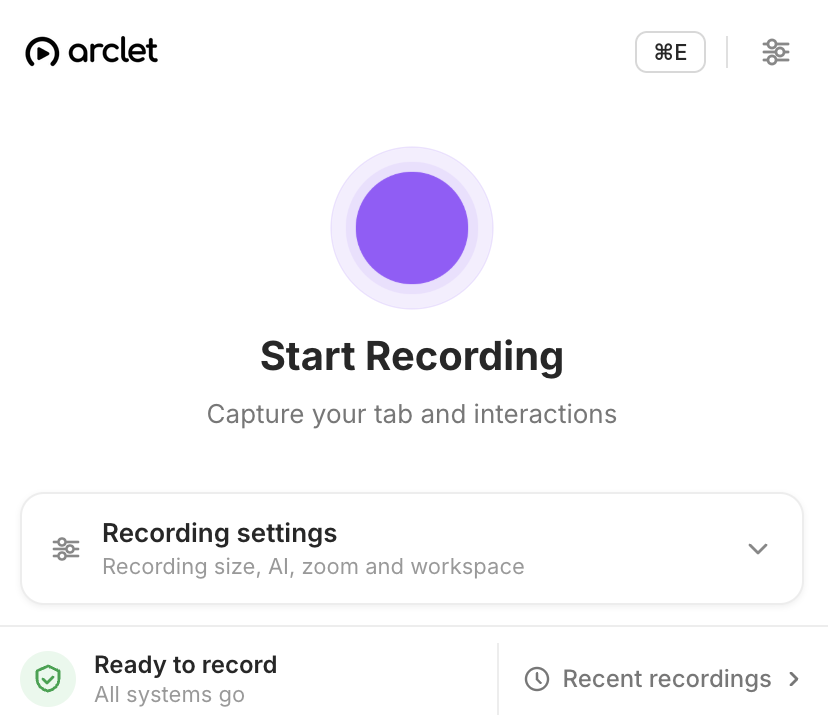
Install the Arclet Chrome extension once and start recording any product flow from any browser tab. No screen-capture software, no complicated setup — just click record and walk through the workflow.

See what a demo recorded with the extension looks like.

Walk through a live product demo captured directly from a Chrome browser session.

Setup

Install once. Record any browser-based product flow.

Add the Arclet extension to Chrome and it is ready in every tab. When you need to create a demo, navigate to the product, click the extension icon, and press record. There is nothing else to configure between recordings.

  • Chrome Web Store install
  • Always available in the toolbar
  • No per-recording setup required
Arclet Chrome extension icon in the browser toolbar ready to record

Accuracy

The extension captures exactly what the viewer needs to see.

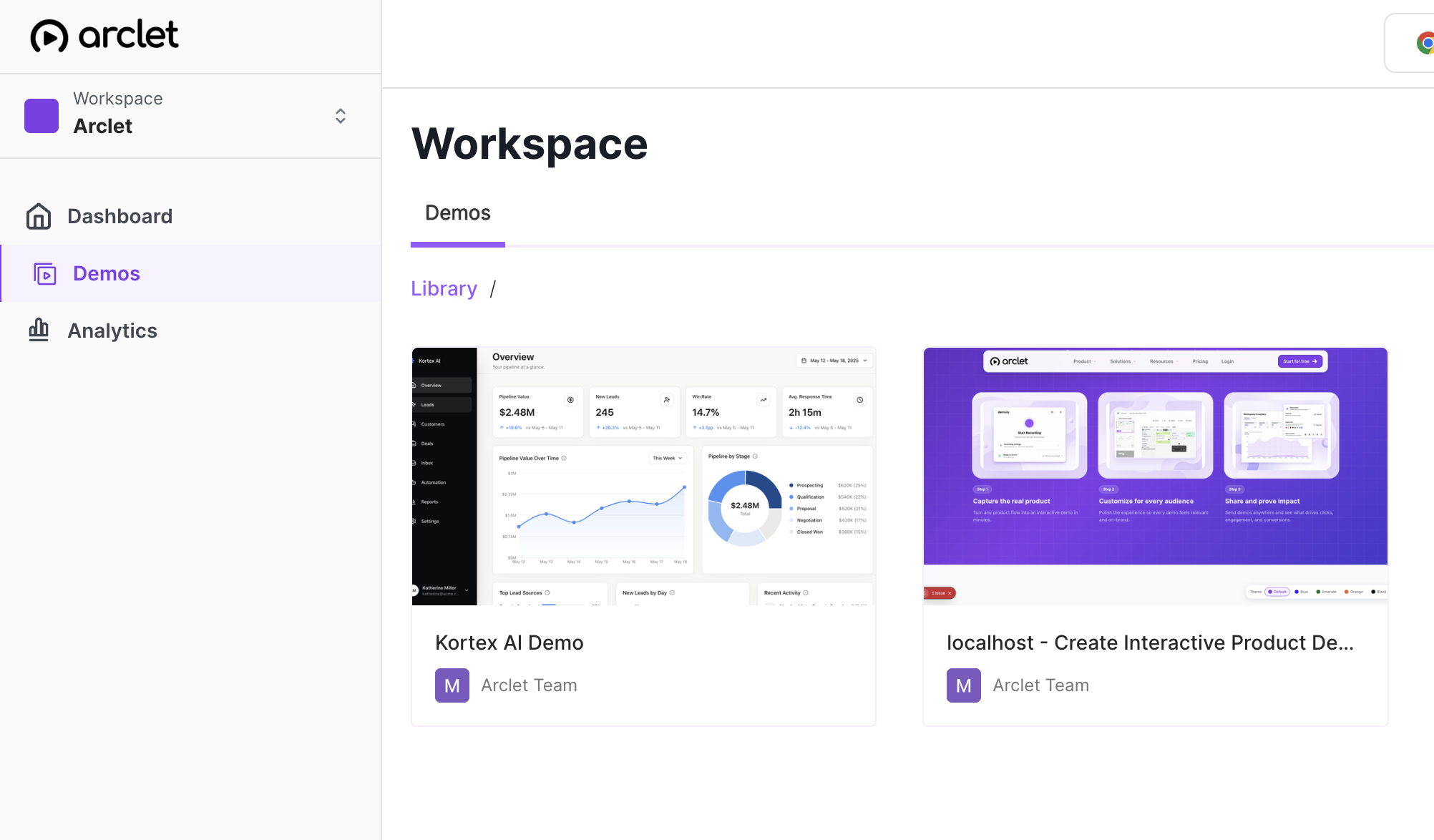
Arclet records what happens in the browser — the actual product UI, exactly as it appears during the recording session. Viewers see the real interface, not a simulated or reconstructed version, so the demo is an accurate representation of the product workflow.

  • Real product screenshots
  • Live browser capture
  • Accurate viewer experience
Arclet demo library showing demos captured from real product interfaces

Simplicity

No video software. No screen recording tools. No export.

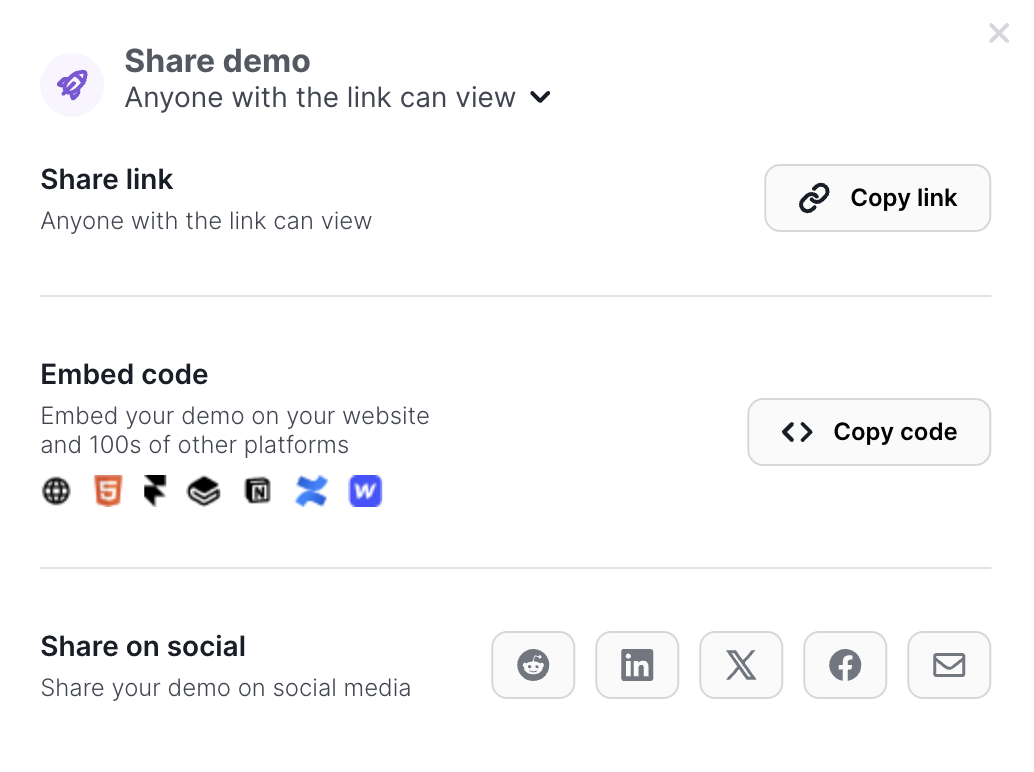
Traditional screen recording requires a dedicated application, a compression step, and an upload before the content is usable. The Arclet extension removes all of that. Recording happens in the browser, the demo is ready immediately after the session, and sharing starts from the Arclet dashboard.

  • No external software required
  • Demo ready immediately after recording
  • Dashboard-first publish workflow
Arclet share panel open immediately after a recording session completes

Explore other features.

Your first demo is 5 minutes away.

Start free, record a real workflow, and publish a demo people can click through.

Frequently asked questions

Everything you need to know to get started today.

The Arclet extension is available for Google Chrome and Chromium-based browsers.
Install it from the Chrome Web Store. Search for "Arclet" or follow the link from the Arclet dashboard.
The recording appears in your Arclet demo library automatically. You can edit and share it from there.
Yes. Each recording creates a new demo in your library. The extension remains active for as many recordings as you need.
No. Arclet captures screen states and interactions, not audio or video. This keeps demos lightweight and easy to embed.