Share

One product experience. Every channel it needs to reach.

Publish a public link or embed the Arclet player with a single snippet. Works in landing pages, help docs, emails, and sales follow-ups — no re-export required.

See what viewers experience when you share a demo.

This is a live Arclet player — the same experience your audience gets from a public link or embed.

Links

Publish a link your audience can open anywhere.

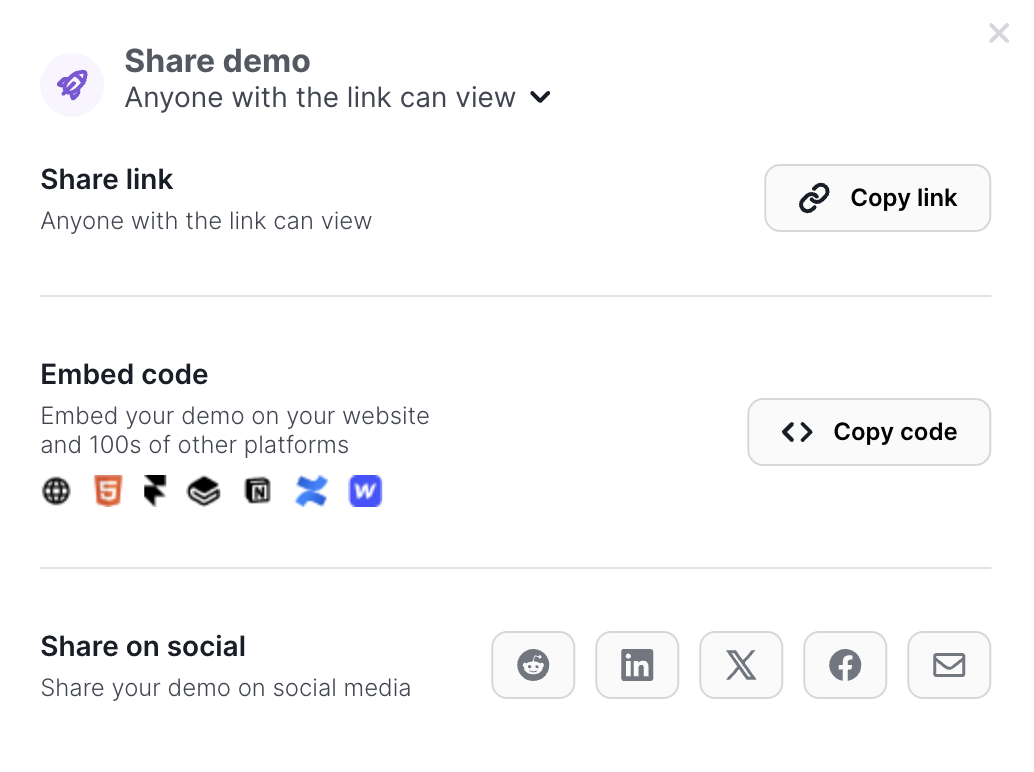
Every published Arclet demo gets a public URL. Share it in an email, add it to a Slack message, include it in a proposal, or reference it in a follow-up. Viewers click the link and step through the demo in their browser — no login required.

  • Instant public URL
  • No viewer account needed
  • Works in any browser
Arclet share modal showing a public demo link ready to copy

Embed

Embed the player on any page that needs a product moment.

Copy a short iframe snippet from the share panel and paste it into any webpage, help article, or landing page. The embedded player renders the full interactive demo inline — visitors can explore the product without leaving the page.

  • Single embed snippet
  • iframe compatible with any CMS
  • Stable dimensions for layout consistency
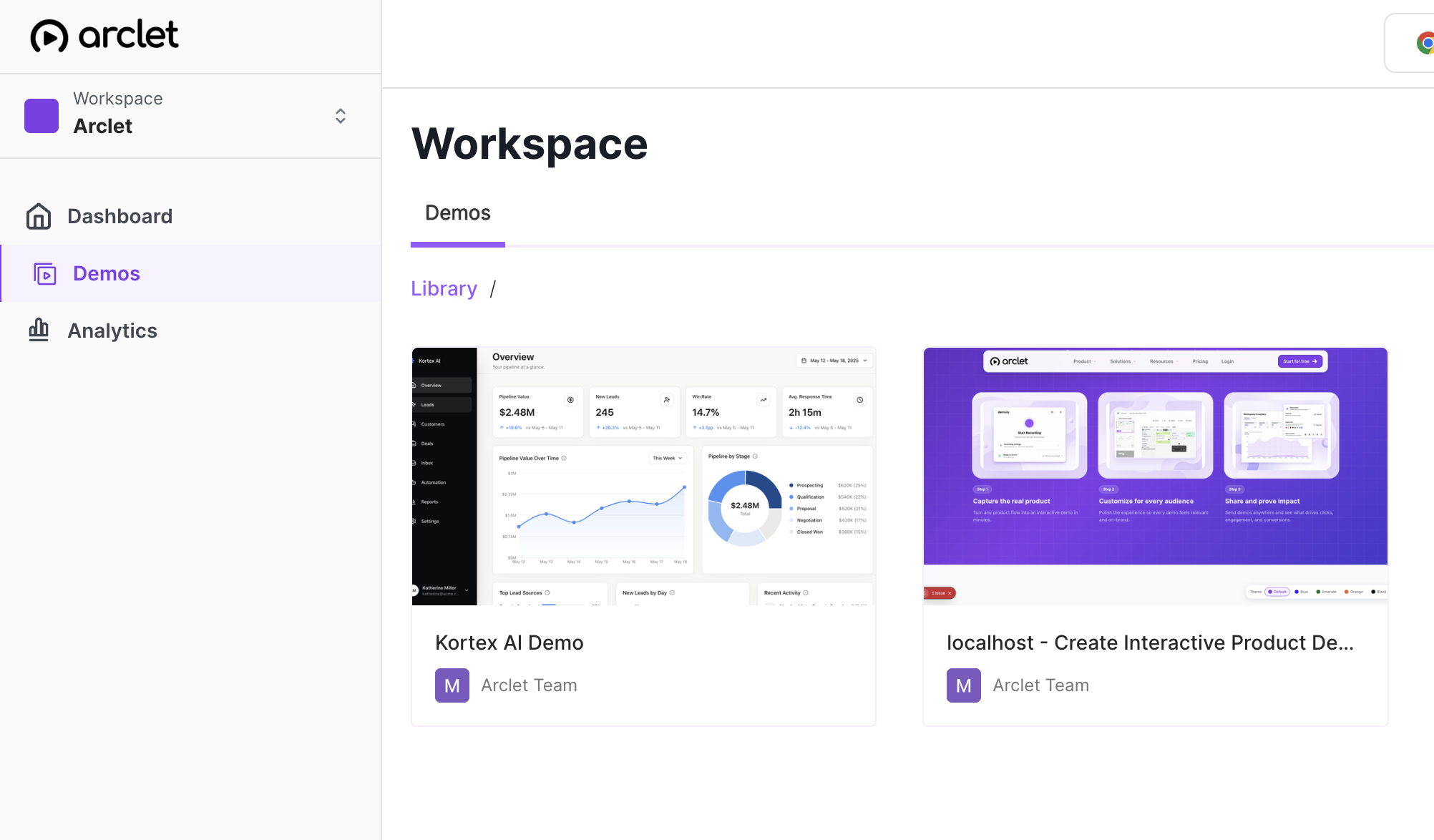
Arclet demo library showing multiple published demos ready to share

Distribution

The same demo, everywhere the explanation has to travel.

Marketing landing pages, pre-call emails, post-meeting follow-ups, onboarding sequences, help documentation — the same published demo works in every context. You create it once and distribute it wherever the product story needs to live.

  • Landing pages and help docs
  • Email follow-ups and proposals
  • Onboarding sequences and internal enablement
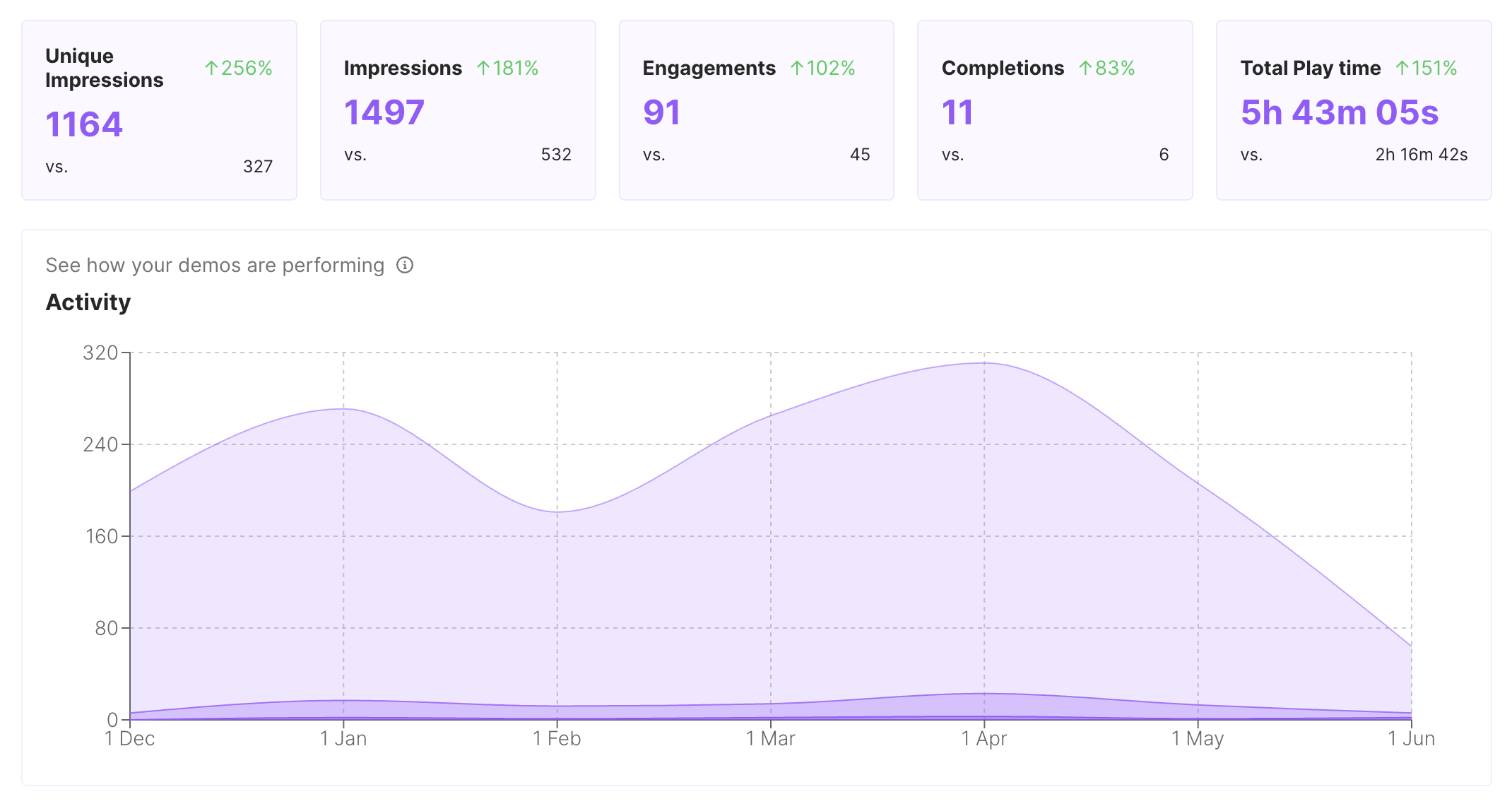
Arclet analytics showing views and engagement across shared demos

Explore other features.

Your first demo is 5 minutes away.

Start free, record a real workflow, and publish a demo people can click through.

Frequently asked questions

Everything you need to know to get started today.

No. Public demo links are accessible to anyone with the URL, no login required.
Anywhere that accepts an HTML iframe snippet — landing pages, help articles, knowledge bases, onboarding platforms, or any CMS that allows embed codes.
Yes. The public link and embed URL remain stable. Any edits you make to the demo appear automatically for anyone who opens it.
Each demo iframe loads independently. For performance, keep one iframe per page and place it below the fold where practical.
Published demos are public by default. Access control features are on the product roadmap.