The four things that make a demo interactive
A recording plays. An interactive demo waits. That difference sounds small and it changes everything
downstream, so it is worth being precise about what has to be true.
The viewer chooses when to move. Nothing advances until someone acts. A demo that auto-plays
through five screens is a video with extra steps.
The interface responds. Clicking a control does something visible. If every click just advances
a slide regardless of where you clicked, the viewer learns nothing about how the product behaves.
There is no account. The person watching has not signed up, has not installed anything, and has
not spoken to anyone. They arrived from a link.
It is a replica, not the product. The data is fictional, the backend is not live, and nothing
the viewer does has consequences. That constraint is a feature: it is what makes the experience safe
to hand to a stranger.
All four have to hold. Drop the first and you have a video. Drop the third and you have onboarding.
Drop the fourth and you have a free trial.
Clickable and understandable are different standards
Arclet analyzed 600 public interactive product demos and found that most of them clear both bars
more often than expected. Among the 555 whose player structure could be read, clickable interaction
was detectable in 522 and multi-screen navigation in 528, but guidance copy was nearly as common.
457 of them explained at least half their screens, and 294 carried explanatory text on every screen.
So the interesting gap is not between clickable and explained. Both are close to standard. It is
between explained and focused. The same cohort ranged from a single screen to 180 steps, and a
demo can annotate every one of those 180 screens while still never establishing what the viewer was
supposed to walk away understanding. Guidance is a property of the writing. Focus is a property of
the decision made before recording started. The full breakdown is in
interactive product demo examples: what 600 public demos reveal.
What is not an interactive product demo
The category has absorbed a lot of things that do not belong in it, usually because the word "demo"
is doing too much work.
A product video is not one, however well produced. Nothing responds to the viewer, and the
viewer cannot ask it a question by clicking somewhere unexpected.
A screenshot gallery is not one unless the viewer controls the sequence. A carousel that
advances on a timer is a slideshow. A walkthrough where the reader clicks to continue, and where the
click lands on the thing the caption is talking about, is an interactive demo at the simplest end of
the range.
A free trial is not one. A trial is the actual product with the actual consequences, and it
requires an account. It answers a different question: not "what does this do" but "does this work
with my data".
An in-product tour is not one either, and this is the distinction that collapses most easily. A tour runs
inside real software for someone who has already signed in. Same overlay, same tooltips, completely
different audience. That distinction is worth its own page, so there is one:
interactive demos versus product tours.
Live sales demos are not interactive product demos, though they are often the thing an
interactive demo is meant to reduce demand for. A person driving a screen share is answering
questions in real time. That is more responsive than any recording, and it does not scale.
A quick boundary test
Four questions. If any answer is no, the thing in front of you is something else, and calling it an
interactive demo will set the wrong expectation for whoever you hand it to.
- Can someone reach it without an account?
- Does it wait for the viewer before advancing?
- Does clicking a specific control do something specific?
- Is the data fictional or scrubbed, so nothing real is at stake?
The test is deliberately blunt. Most arguments about whether something "counts" turn out to be
arguments about question two or question three.
Where an interactive demo sits in an evaluation
Someone lands on a pricing page and cannot tell whether the product does the one thing they need. At
that moment they have three options: read more copy, book a call, or leave. An interactive demo adds
a fourth, and it is the only one that answers their actual question in the next ninety seconds.
That is the whole job. It sits between the marketing claim and the sales conversation, and it
narrows the gap between them.
I built Arclet partly because I kept answering the same product questions in Slack, over and over,
and it always felt like the answer should have been sitting somewhere the person could reach on
their own. I think evaluating a product should be close to frictionless. An interactive demo is one
of the more direct ways to make it so.
That belief has limits, and pretending otherwise would be a bad start for a page about definitions.
Plenty of workflows are wrong for this format. Configuration work, anything that depends on the
viewer's own data, and anything that changes weekly are all poor candidates. The
benefits and limitations page is
where that argument is made properly, including the cases where the answer is not to build one.
If the workflow is a good candidate, the build itself is a capture problem before it is a design
problem: Arclet records a browser workflow as editable steps, which is
what turns a real product path into a demo someone can click through.
Where to go next
Five questions follow naturally from this one, and each has its own page.
Start with how interactive product demos work
if you want to know what the thing is made of before you scope building one. It breaks the format
into captured states, guidance, interaction, branching and outcome, and it is honest about which of
those costs the most to maintain.
Move to types of interactive product demos
when you need to choose a format. The formats trade fidelity against effort against how much freedom
the viewer gets, and the cheapest one is often correct.
Read benefits and limitations
before you commit budget, particularly if you need to defend the decision to someone sceptical.
The two comparison pages settle the terminology arguments:
interactive demos versus product tours
for the before-signup and after-sign-in split, and
interactive demos versus video demos
for the choice between letting someone explore and telling them a story.

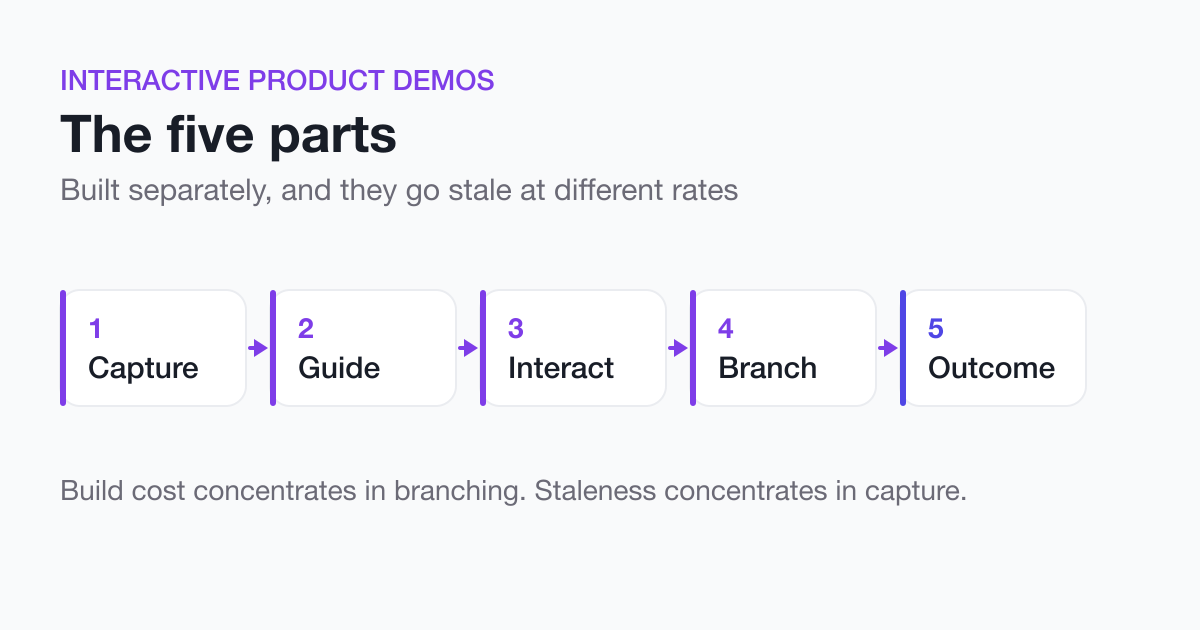 How Interactive Product Demos WorkAn interactive demo is five parts: captured states, guidance, interaction, branching, and an outcome. Here is what each one does and where the real cost lands.
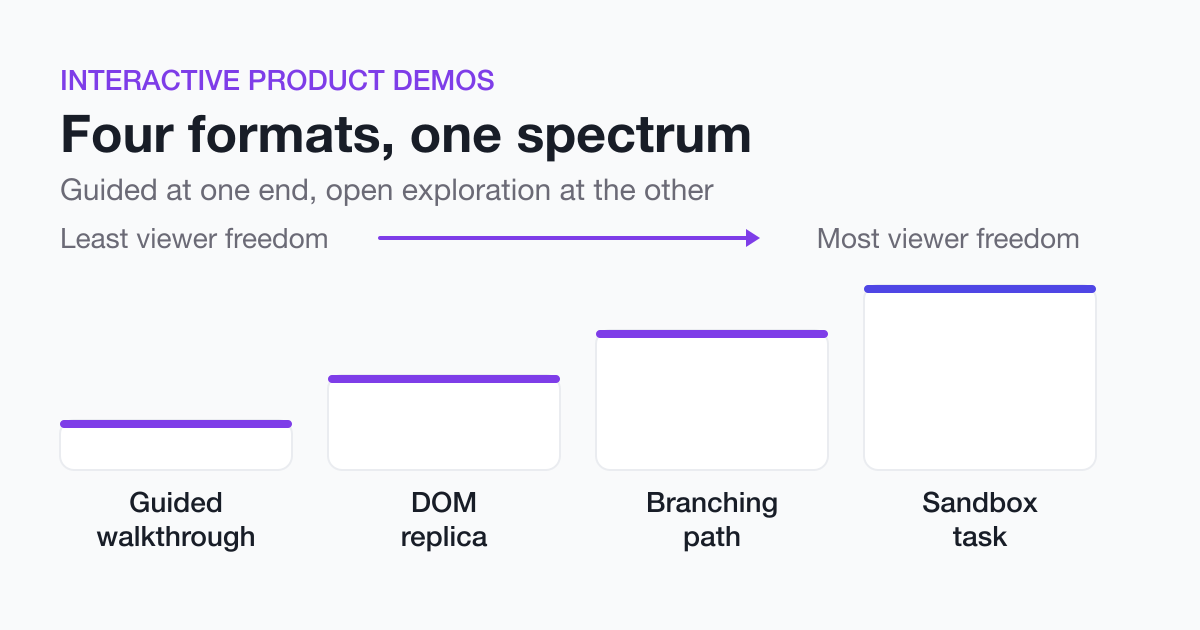 Types of Interactive Product DemosGuided walkthroughs, DOM replicas, branching paths, and sandbox tasks trade fidelity against effort against viewer freedom. Here is how to pick one.
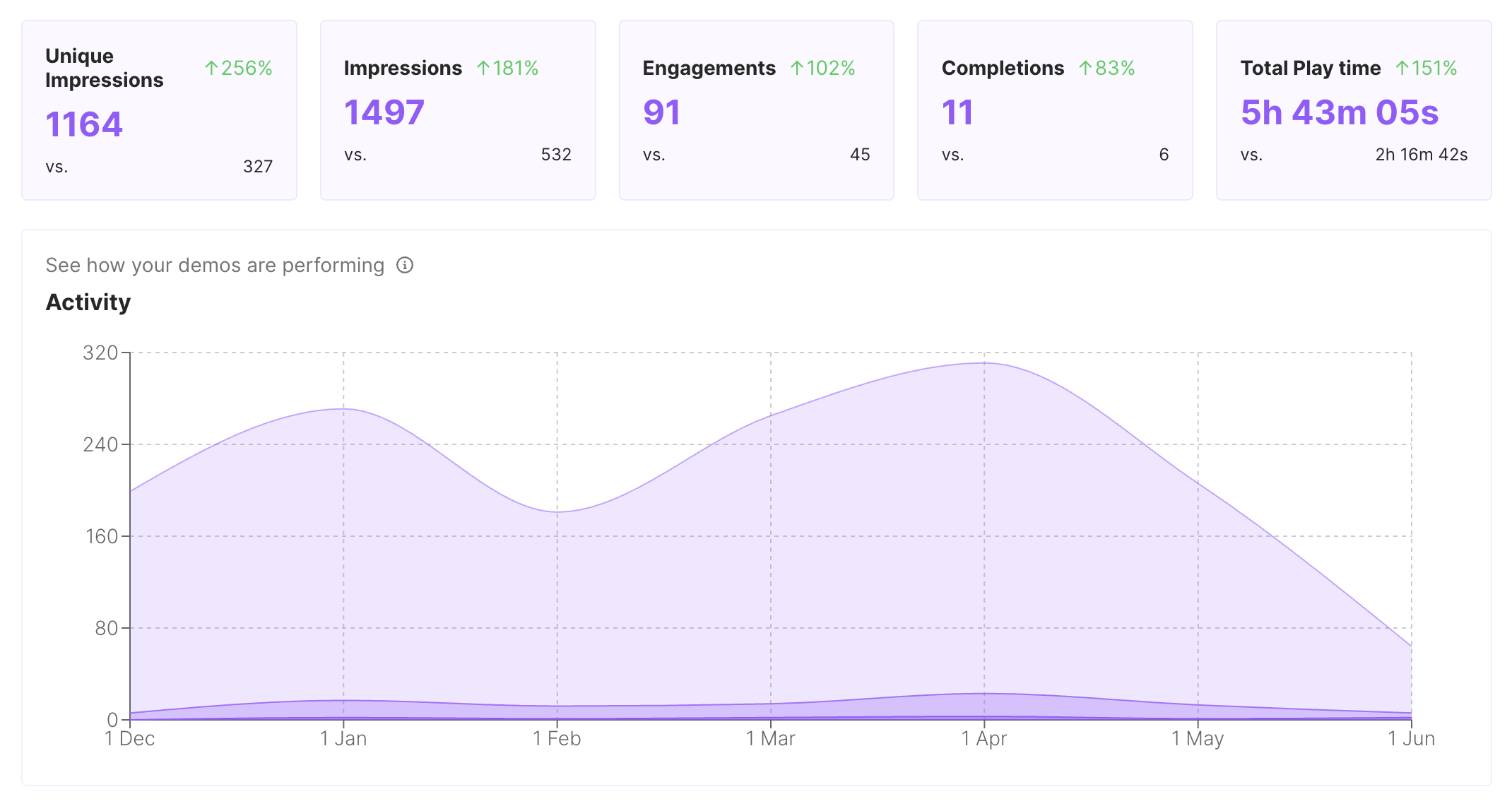 Interactive Product Demos for Marketing CampaignsBuild interactive marketing demos for launches, landing pages, nurture campaigns, and product stories visitors can try before sales.